

Wish & Habit Support App
Law of Attraction


Free app with in-app purchases
Two things tend to get in the way when you try to practise the law of attraction: putting the wish into words, and coming back to it every day. This app was made to quietly support both.
Put your wish into words, and return to it every day.
Screenshots
Drag / arrow keys to browse
About the App
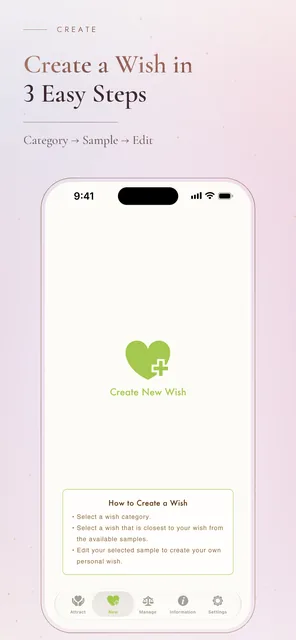
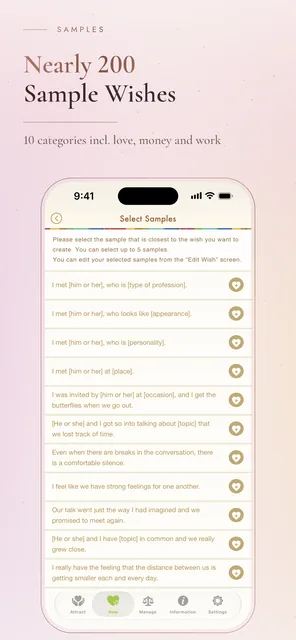
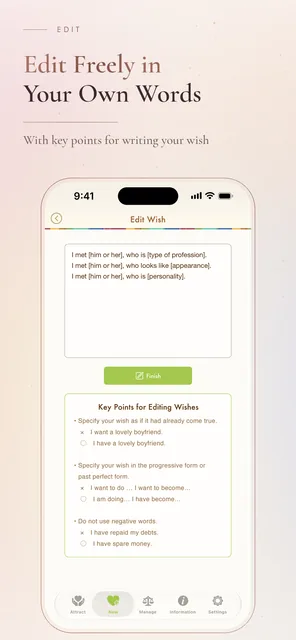
A wish has no edges while it stays in your head. It takes shape once you put it into words — and yet, the moment you try, the words rarely come. So the app offers more than 150 sample phrases, sorted into ten categories covering love, work, money, health and everyday life. Combine up to five that resonate, rewrite them in your own voice, and the wish is there.
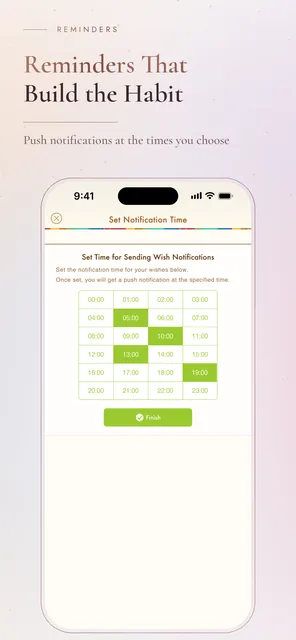
The second difficulty is keeping it up. A wish written in a notebook is usually left unopened after a few days. Here you can set a push notification for whatever hour suits you — one quiet moment each day to return to your own words.
Wishes are private things. The app can be locked at launch with a passcode, Face ID or Touch ID, and everything you have written is backed up to iCloud, so it follows you to your next device.
Wish Categories
- Dating · Love · Reconciliation & Break-ups
- Marriage · Family & Children
- Money · Work · Job hunting
- Beauty & Health · Everyday life
Features
Compose your own wish by combining more than 150 sample phrases, then edit it freely
Phrases sorted into ten categories, so the right words are easy to find
Push notifications at the hour you choose, to make your attraction time a habit
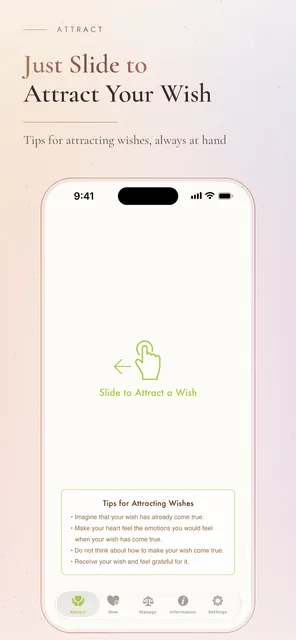
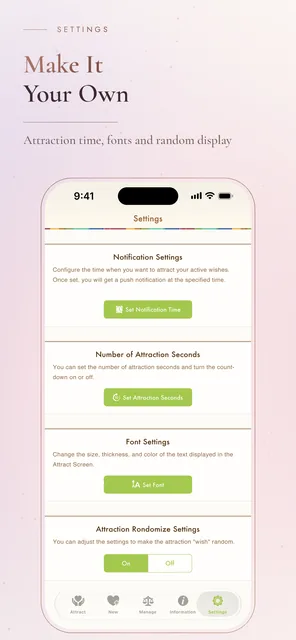
An attraction screen to focus on your wish, with an adjustable duration and countdown
See how many times you have attracted each wish, and keep wishes that came true as completed
Register several wishes and switch between them, including at random
Choice of typeface
Passcode lock at launch, with Face ID and Touch ID support
iCloud backup and restore
Siri Shortcuts to open the attraction or new-wish screen straight away
Supported devices: iPhone and iPad (iOS). No Android version is currently available.
FAQ
Is Law of Attraction free?
Yes. Creating wishes and setting notifications are free. Ads can be removed with a one-time in-app purchase.
Which devices are supported?
iPhone and iPad via the App Store. No Android version is currently available.
How do I write a wish?
Combine up to five of more than 150 sample phrases across ten categories, then rewrite them in your own words. There is no blank page to face.
Can I keep my wishes private?
Yes. The app can be locked at launch with a passcode, and Face ID and Touch ID are supported.
What happens to my wishes when I change devices?
Everything is backed up to iCloud, so your wishes carry over to your new device.
Notifications are not arriving. What should I check?
Open Settings → Notifications → Attraction on your device and make sure notifications are allowed.
Download
This app is a tool for putting wishes into words and revisiting them daily. It does not promise any particular outcome.
More Apps
 Beautiful 4K/HDR Wallpapers4K/HDR Wallpaper App
→
Beautiful 4K/HDR Wallpapers4K/HDR Wallpaper App
→
 Ukiyo-e WallpapersJapanese Woodblock Art App
→
Ukiyo-e WallpapersJapanese Woodblock Art App
→
 Relaxing HealingSleep & Relaxation Sounds App
→
← Back to Home
Relaxing HealingSleep & Relaxation Sounds App
→
← Back to Home